
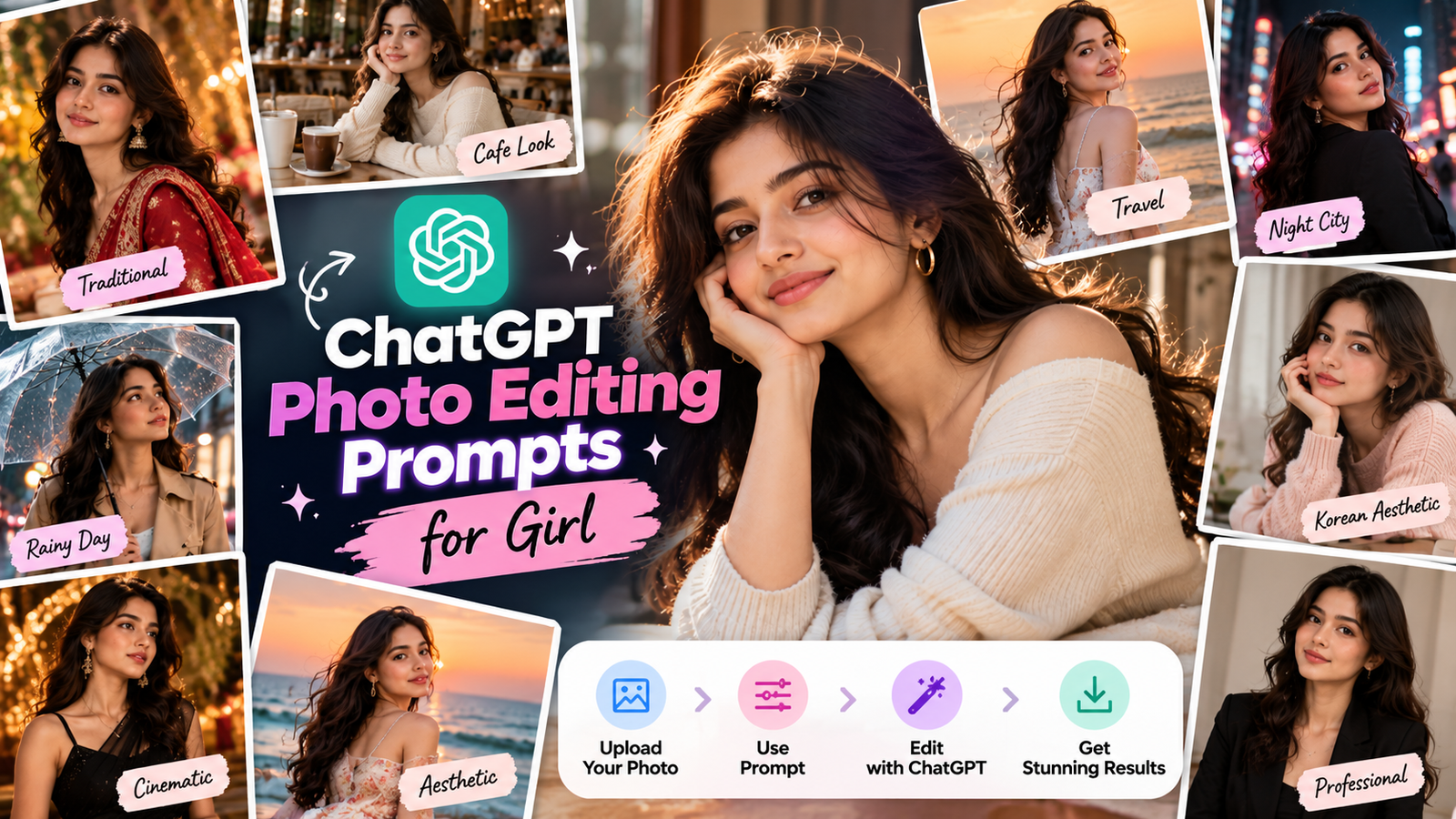
Agar aap apni normal photo ko stylish, aesthetic, cinematic ya professional look dena chahte hain, to ChatGPT photo editing prompts for girl aapke liye useful ho sakte hain.
ChatGPT me existing image upload karke aap natural language me bata sakte hain ki photo me kya change karna hai. Aap background, outfit, lighting, hairstyle, colors, composition aur other visual elements ko modify karne ke liye specific instructions de sakte hain. ChatGPT Images existing photos ko edit karne aur selected areas par targeted changes karne ko support karta hai.
Is article me aapko 20 copy-paste ChatGPT photo editing prompts for girls milenge. In prompts ko apni photo ke according customize karke different looks try kar sakte hain.
ChatGPT Photo Editing Prompt for Girl
Sabse pehle ek general-purpose prompt se start kar sakte hain:
Edit my uploaded photo into a realistic and stylish portrait.

Keep my facial identity, face shape, natural skin texture, hairstyle and body proportions unchanged. Improve the overall photography quality while keeping the image natural.

Enhance the lighting, colors, sharpness and background depth. Give the photo a premium editorial photography look with realistic skin tones, natural shadows and subtle background blur.

Do not change my face or make the skin look artificially smooth. Do not add extra people, text, logos or watermarks.
Ye basic prompt different types ke photo edits ke liye starting point ki tarah use kiya ja sakta hai.
20 Best ChatGPT Photo Editing Prompts for Girl
1. Aesthetic Girl Photo Editing Prompt
Edit my uploaded photo into a soft aesthetic portrait.

Keep my face, facial features, hairstyle, skin tone and body proportions unchanged. Improve the image with soft natural lighting, subtle pastel tones, gentle background blur and clean color grading.

Make the photo look like a professionally captured lifestyle portrait. Keep the skin texture realistic and avoid excessive beauty retouching.

Do not change my identity or add text, logos or watermarks.
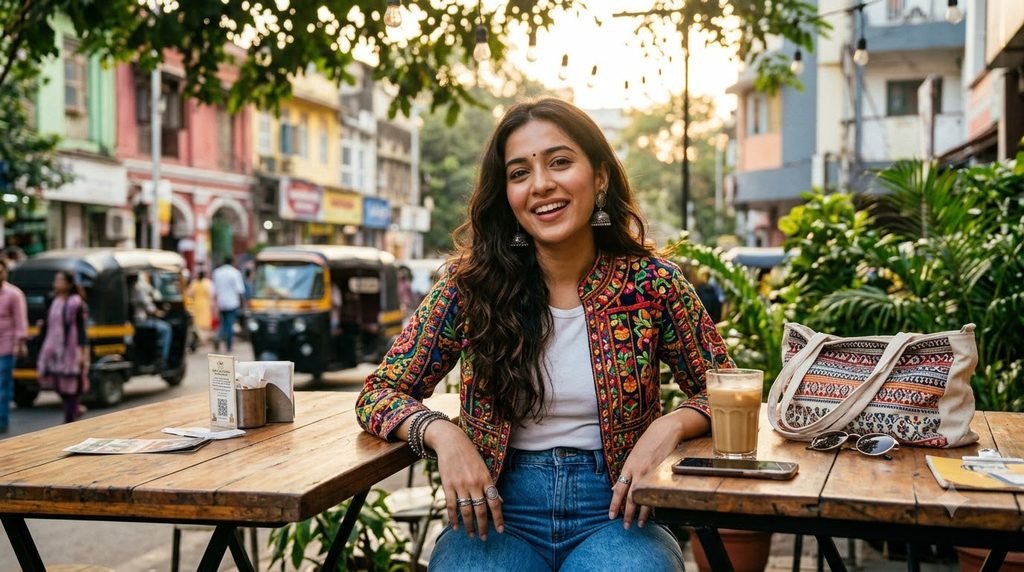
2. Instagram Photo Editing Prompt
Turn my uploaded photo into a premium Instagram-ready portrait.

Preserve my exact facial identity, natural skin texture, hairstyle and body proportions. Improve the composition, lighting, contrast and colors while keeping the photo realistic.

Add subtle cinematic color grading, natural background separation and polished editorial photography quality.

Keep the result elegant and realistic, not overly edited.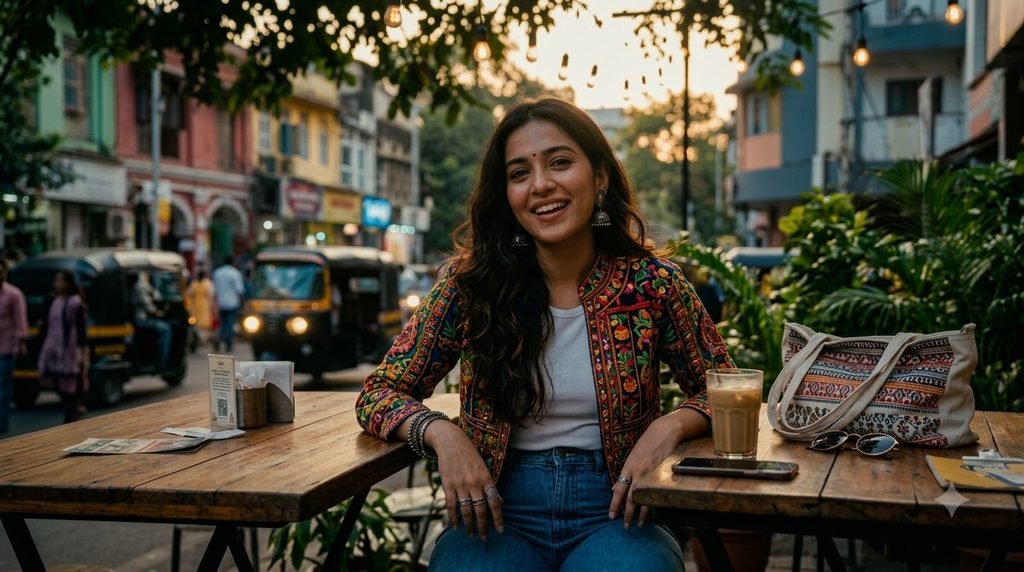
3. Cinematic Girl Photo
Edit my photo into a cinematic portrait while preserving my identity.

Keep my facial features, hairstyle, skin texture and body proportions unchanged. Add soft cinematic lighting, realistic shadows, subtle warm highlights and a slightly darker atmospheric background.

Create a professional movie-still-inspired portrait with natural skin tones and realistic details.

Do not change my face or add unnecessary objects.
4. Luxury Fashion Photo Editing Prompt
Transform my uploaded photo into a luxury fashion editorial portrait.

Keep my face, identity, hairstyle and natural body proportions exactly the same. Improve the lighting and composition and give the image a sophisticated high-fashion photography appearance.

Use elegant contrast, realistic fabric details, refined color grading and soft studio-quality lighting.

Keep the final image photorealistic and natural.
5. Traditional Indian Look
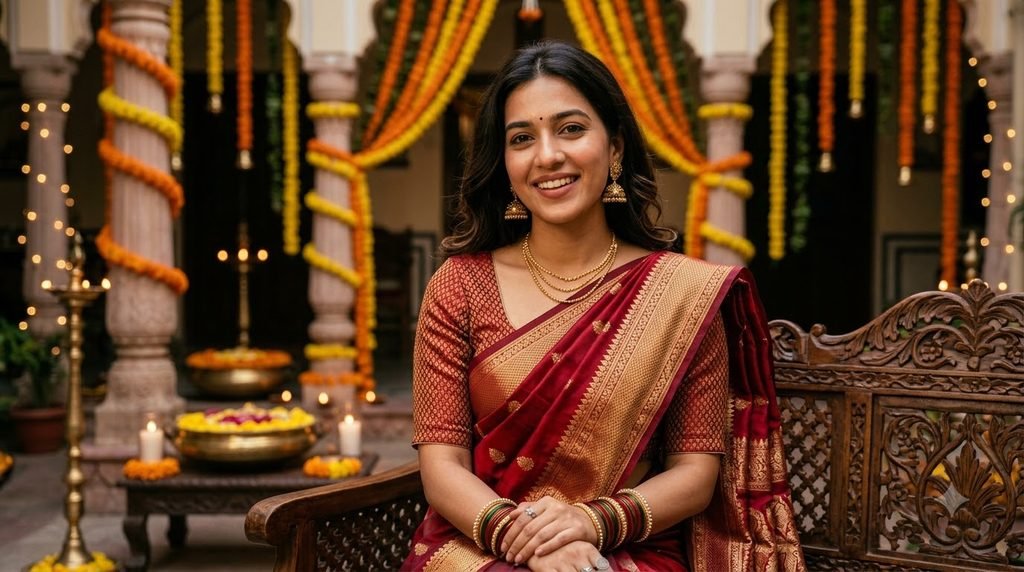
Edit my uploaded photo into an elegant traditional Indian portrait.

Preserve my facial identity, skin tone, hairstyle and natural proportions. Enhance the image with warm lighting, rich but realistic colors and a refined festive atmosphere.

Make the outfit appear elegant and naturally photographed. Keep fabric texture, jewelry and skin details realistic.

Do not alter my face or make the image look artificial.
6. Saree Photo Editing Prompt
Edit my photo into a sophisticated saree fashion portrait.

Keep my original face, facial features, hairstyle and body proportions unchanged. Replace or refine the outfit into an elegant saree with realistic fabric folds, natural draping and subtle traditional details.

Use soft warm lighting, realistic shadows and premium editorial photography.

Keep the background clean and slightly blurred.
7. Korean-Inspired Aesthetic Look
Edit my uploaded portrait into a clean Korean-inspired lifestyle photography style.

Preserve my facial identity, skin texture, hairstyle and natural proportions. Use soft diffused lighting, minimal colors, subtle background blur and a clean modern composition.

Keep the face natural without excessive whitening or skin smoothing.

Make the final result realistic, soft and elegant.
8. Professional LinkedIn Photo
Transform my uploaded photo into a professional LinkedIn profile portrait.

Keep my face, facial features, hairstyle and identity unchanged. Improve lighting, sharpness and composition.

Use a clean professional background with soft neutral tones and studio-style lighting. Keep my expression natural and confident.

Create a realistic corporate headshot with natural skin texture and professional color grading.
9. Cafe Aesthetic Photo
Edit my photo into a realistic aesthetic cafe portrait.

Keep my face and identity exactly the same. Place me naturally in a stylish modern cafe with warm window light, subtle background blur and realistic environmental details.

Maintain natural skin texture, realistic shadows and authentic proportions.

The final image should look like a professional lifestyle photograph captured with a 50mm lens.
10. Beach Vacation Photo
Transform my uploaded photo into a realistic luxury beach vacation portrait.

Preserve my facial identity, hairstyle, skin texture and body proportions. Place me naturally on a beautiful tropical beach during golden hour.

Use warm sunlight, realistic ocean reflections, soft background blur and natural colors.

Keep the image photorealistic and avoid artificial-looking skin or exaggerated colors.
11. Rainy Day Cinematic Photo
Edit my uploaded photo into a cinematic rainy-day portrait.

Keep my face, hairstyle, identity and natural skin texture unchanged. Add a realistic rainy street environment with soft reflections on the road, subtle rain droplets and atmospheric evening lighting.

Use cinematic depth of field and natural color grading.

Do not change my facial features or body proportions.
12. Old Money Style
Transform my photo into an elegant old-money-inspired fashion portrait.

Preserve my exact facial identity, hairstyle, skin texture and body proportions. Create a sophisticated environment with classic architecture, neutral tones and soft natural lighting.

Keep the clothing elegant and understated with realistic fabric textures.

Use premium editorial photography and subtle color grading without making the image look artificial.
13. Birthday Photo Editing Prompt
Edit my uploaded photo into an elegant birthday portrait.

Keep my face, identity, hairstyle and natural skin texture unchanged. Add tasteful birthday decorations, soft warm lighting and subtle elegant background details.

Make the image look like a professionally photographed birthday celebration.

Avoid excessive decorations, unrealistic skin smoothing and artificial-looking lighting.
14. Night City Girl Photo
Transform my uploaded photo into a realistic cinematic night-city portrait.

Preserve my facial identity, hairstyle, skin texture and body proportions. Place me on a stylish city street at night with realistic neon signs, soft bokeh lights and natural reflections.

Use cinematic low-light photography with realistic exposure and subtle color grading.

Keep the face clear and naturally illuminated.
15. Mirror Selfie Enhancement
Improve my uploaded mirror selfie while keeping the original composition and identity.

Preserve my face, body proportions, hairstyle and clothing. Improve lighting, sharpness, colors and background cleanliness.

Remove distracting clutter from the background without changing the main subject.

Keep the result realistic and natural, like a high-quality smartphone photograph.
16. College Girl Aesthetic Photo
Edit my uploaded photo into a natural college lifestyle portrait.

Keep my facial identity, hairstyle, skin texture and body proportions unchanged. Place me in a modern college environment with soft daylight, natural background activity and subtle depth of field.

Use realistic colors and casual lifestyle photography.

Do not make the image overly glamorous or artificial.
17. Monsoon Photo Editing Prompt
Transform my uploaded photo into a realistic Indian monsoon portrait.

Preserve my facial identity, hairstyle and natural skin texture. Add a realistic rainy environment with wet streets, soft reflections, umbrellas and atmospheric cloudy lighting.

Use cinematic but natural color grading and realistic rain details.

Keep my face and body proportions unchanged.
18. Studio Portrait Editing Prompt
Convert my uploaded photo into a professional studio portrait.

Keep my facial identity, hairstyle, skin tone and natural proportions unchanged. Replace the background with a clean professional studio setup.

Use softbox-style lighting, realistic shadows, subtle skin retouching and sharp facial details.

Keep the result photorealistic and suitable for a professional photography portfolio.
19. Vintage Film Photo Editing Prompt
Edit my uploaded photo into a realistic vintage film portrait.

Preserve my face, identity, hairstyle and body proportions. Add subtle analog film grain, slightly muted colors, natural contrast and soft nostalgic lighting.

Make it look like a professionally captured photograph from an analog film camera.

Do not overdo the grain or change my facial features.
20. Viral Social Media Photo Edit
Edit my uploaded photo into a trendy social-media-ready portrait.

Keep my exact facial identity, natural skin texture, hairstyle and body proportions. Improve lighting, composition, sharpness and color balance.

Add a subtle cinematic aesthetic with realistic background blur and polished editorial color grading.

The final image should look premium, natural and authentic rather than heavily AI-generated.
ChatGPT Me Photo Edit Kaise Kare?
ChatGPT Images me aap existing image upload karke directly describe kar sakte hain ki image me kya change karna hai. Aap generated image ko bhi further edit kar sakte hain. Specific area ke liye selection tool ka use karke targeted edit instructions dena possible hai.
Step 1: Apni Photo Upload Karein
Clear, high-quality photo choose karein jisme face properly visible ho.
Step 2: Editing Prompt Paste Karein
Upar diye gaye prompts me se apni requirement ke according prompt copy karein.
Step 3: Specific Changes Mention Karein
Agar sirf background change karna hai, to clearly likhein:
Change only the background. Keep my face, hairstyle, clothing, pose, lighting and body proportions exactly the same.Specific edit instructions generally broad instructions se easier to control hote hain. OpenAI ki image prompting guidance bhi edits me kya change karna hai aur kya preserve karna hai clearly specify karne recommend karti hai.
Step 4: One Change at a Time Karein
Agar result perfect nahi hai, to ek hi baar me bahut saare changes karne ke bajay small revisions karein.
For example:
Make the background slightly brighter while keeping everything else unchanged.
Phir:
Make the skin texture more natural while preserving the same face and composition.
Is tarah iterative editing se image ko gradually refine kiya ja sakta hai.
Best Formula for ChatGPT Photo Editing Prompts
Aap khud bhi unlimited prompts create kar sakte hain. Simple formula follow karein:
Photo + Subject + Change + Lighting + Background + Style + Preserve
Example:
Edit my uploaded photo.

Keep my face, identity, hairstyle and body proportions unchanged.

Change the background to a luxury cafe with warm window lighting.

Improve the color grading and depth of field.

Keep realistic skin texture and natural shadows.

Make the final image look like professional lifestyle photography.
Ye structure especially useful hai jab aapko sirf specific part of the photo edit karna ho.
Face Ko Same Rakhne Ke Liye Best Instructions
Agar aap photo editing kar rahe hain aur face ko preserve karna important hai, to prompt me ye instructions add kar sakte hain:
- Keep my facial identity unchanged
- Preserve my original facial features
- Keep my face shape unchanged
- Preserve my natural skin texture
- Keep my hairstyle unchanged
- Maintain natural body proportions
- Do not alter my expression unless requested
OpenAI ki image prompting guidance edits ke liye important details ko explicitly preserve karne aur unwanted changes ko clearly exclude karne recommend karti hai.
Background Change Karne Ka Best Prompt
Agar aapko sirf background change karna hai, ye prompt try karein:
Change only the background of my uploaded photo.

Replace the existing background with a modern luxury cafe.

Keep my face, facial features, hairstyle, clothing, pose, body proportions and foreground lighting unchanged.

Match the new background lighting and perspective naturally with the original subject.

Do not add extra people, text, logos or watermarks.
Outfit Change Karne Ka Prompt
Agar aap outfit change karna chahte hain:
Change only the clothing in my uploaded photo.

Replace my current outfit with an elegant black saree with realistic fabric folds and natural draping.

Keep my face, facial features, skin tone, hairstyle, body shape, pose and background unchanged.

Match the lighting and shadows of the new clothing with the original photograph.

Make the clothing look naturally worn and photorealistic.
Outfit edits me identity, body shape, pose aur background ko explicitly preserve karna useful hai; OpenAI ki current image prompting guidance bhi clothing edits ke liye isi type ke constraints recommend karti hai.
Common Mistakes While Using Photo Editing Prompts
1. Sirf “Make It Beautiful” Likhe
Ye instruction bahut vague hai.
Instead:
Make the lighting softer, improve skin texture naturally and add subtle background blur.
2. Ek Prompt Me Bahut Saare Changes
Background, outfit, hairstyle, face, lighting aur body shape sab ek saath change karne se result unpredictable ho sakta hai.
3. Preserve Instructions Na Dena
Agar aap background change kar rahe hain, to clearly bataiye ki face, outfit aur pose unchanged rehna chahiye.
4. Over-Retouching
“Perfect skin”, “flawless face” aur excessive beauty instructions realistic photo ko artificial bana sakte hain.
5. Har Edit Ko Ek Saath Karna
Better approach hai:
Background → Lighting → Outfit → Color → Final cleanup
Ek-ek step me edit karein.
ChatGPT Photo Editing Prompts for Girl: Quick Ideas
Aap in additional concepts par bhi experiments kar sakte hain:
- Aesthetic girl photo edit
- Instagram girl photo edit
- Saree photo editing
- Kurti photo editing
- Birthday photo edit
- Beach photo edit
- Cafe photo edit
- Rainy photo edit
- Korean aesthetic photo
- Old money photo
- Luxury fashion portrait
- Professional profile photo
- Cinematic portrait
- Vintage film photo
- Monsoon photo edit
- Wedding guest photo edit
- Traditional Indian portrait
- Travel photo editing
- College girl photo edit
- Night city portrait
Final Thoughts
ChatGPT photo editing prompts for girl ka main advantage ye hai ki aap complicated editing instructions ko simple natural language me describe kar sakte hain. Existing photo upload karke aap background, outfit, lighting, color grading aur overall style ko gradually refine kar sakte hain.
Best results ke liye prompt ko unnecessarily complicated banane ki zarurat nahi hai. Kya change karna hai, kya same rakhna hai aur final image ka look kaisa hona chahiye—ye teen cheezein clearly mention karein.
Aur agar first result perfect nahi hai, to poora prompt change karne ke bajay ek targeted revision karein. OpenAI ki current guidance bhi small, specific iterations ko useful approach batati hai.
FAQs
ChatGPT me girl photo edit kaise karein?
Apni existing photo upload karein aur clearly describe karein ki kya change karna hai. Aap background, outfit, lighting, colors ya specific area ko edit karne ke liye natural-language prompt use kar sakte hain.
ChatGPT photo editing prompts for girl kya hain?
Ye ready-to-use instructions hain jinse girls ki existing photos ko aesthetic, cinematic, traditional, professional ya social-media-ready styles me edit karne ke liye ChatGPT ko specific direction di ja sakti hai.
Kya ChatGPT me background change kar sakte hain?
Haan. Existing image upload karke background change karne ka instruction diya ja sakta hai. Better control ke liye prompt me clearly mention karein ki subject, face aur clothing unchanged rehni chahiye.
Kya ChatGPT outfit change kar sakta hai?
Haan. Aap clothing change ke liye specific prompt de sakte hain. Face, body proportions, pose aur background ko preserve karne ki instruction dena useful hai.
ChatGPT photo ko realistic kaise rakhein?
Prompt me natural skin texture, realistic lighting, natural shadows aur original facial identity preserve karne ki instructions add karein. Excessive beauty retouching avoid karein.
SEO Settings
Focus Keyword:ChatGPT photo editing prompts for girl
Secondary Keywords:
- ChatGPT photo editing prompts
- ChatGPT photo editing prompts for girls
- ChatGPT girl photo editing prompts
- ChatGPT AI photo editing prompts
- ChatGPT photo edit prompt
- girl photo editing prompt
- AI photo editing prompts for girls
- ChatGPT image editing prompts
- ChatGPT prompts for photo editing
- aesthetic girl photo editing prompt
- ChatGPT portrait editing prompt
- ChatGPT photo editing prompt for Instagram
SEO Title:20 ChatGPT Photo Editing Prompts for Girl (2026)
Meta Description:Try 20 ChatGPT photo editing prompts for girl to create aesthetic, cinematic, traditional, Instagram and professional AI photo edits.
Slug:chatgpt-photo-editing-prompts-for-girl
Category:ChatGPT Prompts
Tags:ChatGPT Prompts, ChatGPT Photo Editing, ChatGPT Image Editing, AI Photo Editing, Girl Photo Prompts, Photo Editing Prompts, ChatGPT Image Prompts, AI Image Prompts, Instagram Photo Prompts
Featured Image Alt Text:ChatGPT photo editing prompts for girl creating aesthetic and realistic AI photo edits
Featured Image Title:ChatGPT Photo Editing Prompts for Girl
Featured Image Caption:20 ChatGPT photo editing prompts for creating aesthetic, cinematic and realistic girl photo edits.
Featured Image Description:A modern visual representing ChatGPT photo editing prompts for girls, showing a female portrait being transformed through AI photo editing with aesthetic lighting, fashion styles, background changes and cinematic effects.