
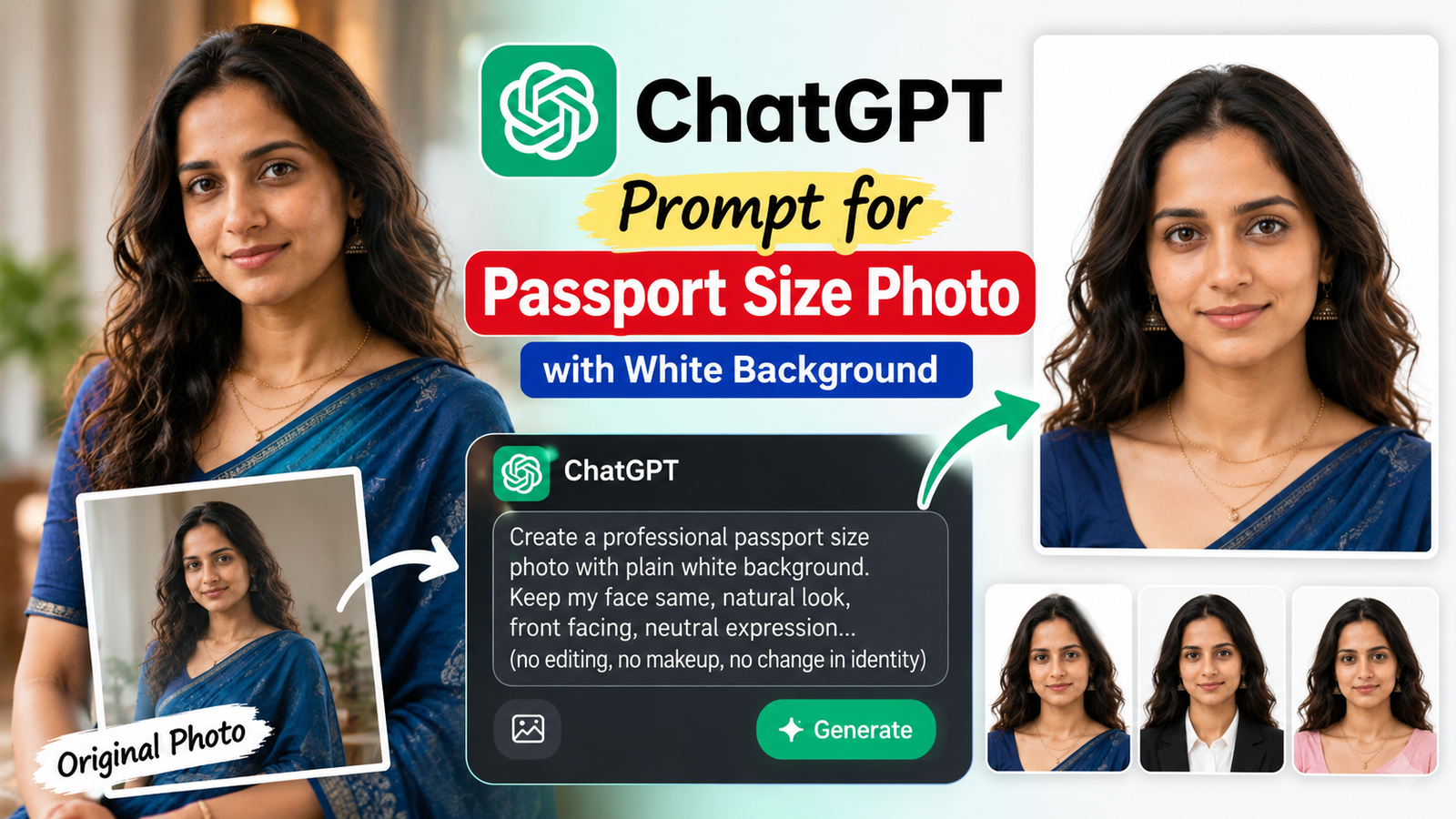
Passport size photo banane ke liye ab expensive photo studio ya complicated editing software ki zarurat har situation mein nahi hoti. Agar aapke paas ek clear portrait photo hai, to ChatGPT Images se us photo ko passport-size style, clean white background aur professional front-facing look mein edit karne ke liye prompt use kar sakte hain. ChatGPT existing image upload karke usme requested edits kar sakta hai. OpenAI Help Center
Lekin ek important point: official passport application ke liye AI-edited photo blindly use nahi karna chahiye. India ke current Passport Seva guidance mein photograph ke liye white background, front-facing face, natural skin tones, open eyes, no distracting shadows aur other requirements diye gaye hain; current ICAO guidance also says passport photographs should be unaltered by computer software. Passport India
Isliye neeche diya gaya prompt passport-size style photo, forms, IDs, profiles, applications aur similar use cases ke liye useful hai. Official passport submission ke liye relevant authority ki latest photo requirements zaroor check karein.
ChatGPT Passport Size Photo Prompt
Apni photo ChatGPT mein upload karein aur ye prompt copy-paste karein:
Edit this photo into a clean professional passport-size portrait. Keep my face, facial features, skin tone, hairstyle, identity and natural appearance exactly the same. Replace the existing background with a pure plain white background. Make the person face directly toward the camera with a natural neutral expression, eyes clearly visible, head straight and centered, with the full head and shoulders properly visible. Use even soft lighting, natural skin texture, realistic colors, sharp facial details and no harsh shadows. Do not beautify, reshape, slim, retouch or change my face. Do not add makeup, accessories, text, borders or other objects. Create a realistic formal ID-photo composition with a clean white background and professional appearance.
Agar Background Proper White Nahi Aa Raha Hai
Agar first result mein background grey ya off-white aa raha hai, to ye short follow-up prompt use karein:
Change only the background to a completely plain pure white (#FFFFFF). Keep my face, hair, clothing, skin tone, lighting and identity unchanged. Remove all background objects and shadows.
ChatGPT mein existing image upload karke specific edits describe kiye ja sakte hain, aur OpenAI ki guidance bhi edits ke liye clearly batati hai ki kya change karna hai aur kya unchanged rakhna hai. OpenAI Help Center
Best Passport Size Photo Ke Liye Original Photo Kaisi Ho?
AI prompt se result tab better aayega jab original image:
- Face clearly visible ho
- Photo blurry na ho
- Face camera ki taraf ho
- Eyes clearly visible hon
- Lighting reasonable ho
- Face par heavy shadow na ho
- Head aur shoulders photo mein properly visible hon
- Extreme angle ya side profile na ho
- Hair face/eyes ko unnecessarily cover na kare
India ke Passport Seva ICAO guidance mein bhi front-facing face, natural skin tones, open and clearly visible eyes, appropriate brightness/contrast aur distracting shadows se bachne ki requirements di gayi hain. Passport India
Passport Photo Size Kitna Hona Chahiye?
“Passport size” ka exact size use-case aur authority ke according change ho sakta hai, isliye jis form ya application ke liye photo chahiye uski official specification check karna best hai.
For example, Passport Seva ki current online ICAO guidance India ke passport applications ke liye 630 × 810 pixels photograph dimensions specify karti hai, along with a white background and other requirements. Passport India
Passport Seva ki separate guidance mein some minor passport applications ke context mein 4.5 × 3.5 cm photo with white background ka requirement bhi listed hai. Passport Seva
Isliye sirf “35×45 mm” ya kisi ek generic size ko har application ke liye assume na karein.
Passport Size Photo Prompt for Male
Agar aap male photo edit kar rahe hain, to same main prompt use kar sakte hain. Agar formal appearance chahiye, ye additional instruction add karein:
Keep the person’s natural facial features and identity unchanged. Make the portrait look like a professional formal ID photograph with a clean white background, centered head, neutral expression, front-facing pose, natural skin texture and balanced lighting.
Passport Size Photo Prompt for Female
Female portrait ke liye bhi identity preserve karna important hai:
Create a professional ID-style portrait while keeping the person’s exact facial identity, natural skin tone, hairstyle and facial features unchanged. Use a completely plain white background, front-facing composition, neutral natural expression, even lighting and realistic skin texture. Do not add beauty filters or alter facial proportions.
Face Ko Same Rakhne Ka Important Prompt
Kabhi-kabhi AI editing mein face slightly change ho sakta hai. Isliye identity preservation ke liye prompt mein ye line add karein:
Do not change my identity or facial structure. Preserve my exact facial features, face shape, eyes, nose, lips, eyebrows, skin tone and natural proportions.
OpenAI ki image prompting guidance bhi image edits mein explicitly batane ki recommendation deti hai ki kya change hona chahiye aur kya same rehna chahiye. OpenAI Developers
Common Problems & Solutions
1. Background White Ke Bajay Grey Ho Gaya
Use:
Make the background pure solid white with no gradient, texture, objects or visible shadows.
2. Face Change Ho Gaya
Use:
Undo all facial changes. Preserve my original face and identity exactly. Only change the background and framing.
3. AI Ne Face Ko Too Much Smooth Kar Diya
Use:
Restore natural skin texture. Remove artificial beauty retouching and keep realistic pores and natural facial details.
4. Head Tilted Hai
Use:
Straighten the head to a natural front-facing position without changing facial features or identity.
5. Photo Professional Nahi Lag Rahi
Use:
Use even studio-style lighting, centered composition, natural skin tones and a clean plain white background while keeping the original person unchanged.
Official Passport Ke Liye Important Warning
Agar photo actual Indian passport application ke liye hai, to sirf AI se photo generate/edit karke submit karna safe assumption nahi hai.
Passport Seva ki current ICAO-compliant guidance specifically says photographs should be unaltered by computer software, and it also specifies requirements such as white background, natural skin tones, direct camera view, visible eyes, appropriate lighting and no distracting shadows. Passport India
Isliye official passport ke liye AI-generated face, face reshaping, beauty filters, skin-changing edits ya identity-changing edits avoid karein. Application ke time Passport Seva ki latest official requirements ko priority dein.
ChatGPT Mein Photo Kaise Edit Kare?
- ChatGPT open karein.
- Apni clear portrait photo upload karein.
- Upar diya ChatGPT passport size photo prompt paste karein.
- Generated result check karein.
- Agar sirf background ya framing mein problem hai, targeted follow-up instruction dein.
- Final image ko use karne se pehle jis website/form ke liye photo chahiye uski exact size and photo requirements check karein.
ChatGPT Images existing images ko upload karke edit karne aur specific areas/changes ke liye instructions dene ko support karta hai. OpenAI Help Center
Final Thoughts
ChatGPT prompt for passport size photo with white background ka main goal sirf background white karna nahi hai. Better result ke liye face ko centered rakhna, natural expression, even lighting, realistic skin texture aur original identity preserve karna equally important hai.
Agar photo kisi normal form, profile, application ya ID-style requirement ke liye chahiye, upar diya copy-paste prompt ek good starting point hai. Lekin official passport application ke liye AI editing par depend karne se pehle current government photo specifications zaroor check karein, kyunki passport authorities altered photographs ko restrict kar sakti hain. Passport India
FAQs
Q. Kya ChatGPT photo ka background white kar sakta hai?
Haan. ChatGPT Images existing image upload karke background jaise elements ko edit kar sakta hai. OpenAI Help Center
Q. Kya face bhi change ho jayega?
Agar prompt clear na ho to unwanted changes ho sakte hain. Isliye “keep my face, facial features and identity exactly the same” jaise instructions include karein.
Q. Kya AI-edited photo official passport ke liye use kar sakte hain?
Official passport application ke liye blindly use nahi karein. India ki current Passport Seva ICAO guidance photographs ko unaltered by computer software rakhne ki requirement batati hai. Passport India
Q. White background ke saath passport photo banane ke liye best prompt kya hai?
Upar diya main prompt use karein aur specifically face identity, white background, front-facing pose, natural expression, even lighting aur centered framing mention karein.